
How to Create High-Converting House for Rent Flyers & Distribution Strategy: A Guide to 45%+ Response Rates

Mark Newman
Nov 18, 2025

Before diving into the mechanics, understand this: rental flyers work. Professional flyers increase property inquiries by up to 40%, and when paired with strategic agent-to-agent email distribution, they can drive response rates exceeding 45%.
The reason is simple. Agents don't scroll endlessly through social feeds looking for listings they can show. They respond to direct, relevant information delivered to their inbox with a clean visual they can forward immediately to their buyer clients. Rental flyers solve a real problem: giving agents an easy way to connect their buyers with properties.
This playbook walks you through creating flyers that agents actually want to share, and distributing them to the right agents in the right neighborhoods at the right time.
Increase in property inquiries
Response rates with email distribution
Higher engagement with targeted emails
Part 1: The Rental Flyer Design Blueprint
Anatomy of a High-Converting Flyer
A strong rental flyer contains five core elements, each serving a specific purpose. Missing or weak elements tank response rates.
The Headline (Top 15% of Flyer)
Your headline is not the address. Agents already know the address if they want to search for it. Your headline states what makes this property desirable to the renter. Use benefit-driven language that speaks to lifestyle or financial value.
bad:
"123 Oak Street"
better:
"Modern 2BR Steps from Downtown Transit & Schools"
best:
"New Luxury Finishes, Move-in Ready, Below Market Rate"
Headline Best Practices
The headline should be no more than two lines. Use your largest font here, and pick a contrasting color that stands out against your background without overwhelming the design.
The Primary Image (40-50% of Flyer)
Use one dominant photo that shows the property's best feature. For rentals, this is typically the living room, modern kitchen, or bedroom. This single image should answer the question: "Do I want to see this property?"
Image Quality Requirements
- High-resolution (minimum 300 DPI for print)
- Properly lit with natural daylight
- Shot from professional angle (avoid extreme angles)
- Cropped to focus on key features
Common Image Mistakes
Blurry photos kill credibility instantly. Don't show empty hallways or unnecessary background. Show the space in a way that communicates the rental's value.
Quick Facts (Key Details Section)
This section gives agents the information their buyer clients immediately ask for:
- Number of bedrooms and bathrooms
- Square footage
- Monthly rent price
- Lease length (flexible, 6 months, 1 year, etc.)
- Move-in date
- Key amenities (laundry, parking, pet-friendly, etc.)
Formatting Quick Facts
Present these facts in a skimmable format. Use short lines and plenty of white space. Don't write sentences here. Use bullet points or simple labels with data.
Example Format
2 Bed | 1.5 Bath
850 Sq Ft
$1,450/month
In-Unit Laundry | Pet-Friendly | Parking Included
Property Description (2-3 lines)
A short, benefit-focused description rounds out the details. This is where you tell agents why a buyer should care. Focus on location benefits, recent updates, or special features that justify the rental rate.
Example:
"Recently renovated with luxury vinyl flooring and stainless steel appliances. Walking distance to schools, grocery stores, and public transit. Perfect for young professionals or small families."
Keep It Short
Agents are skimming, not reading. Limit your description to 2-3 lines maximum.
Call-to-Action (CTA) + Contact Info
Your CTA tells agents exactly what to do. Don't assume they know. Be direct.
CTA Option 1
"Contact [Your Name] for Showings"
CTA Option 2
"Call or Text to Schedule a Tour"
CTA Option 3
"Scan QR Code for Virtual Tour & Photos"
Contact Information Checklist
- Phone number (large, easy to read)
- Email address
- Optional: QR code linking to virtual tour or more photos
QR Code Testing
If you include a QR code, test it before printing to ensure it works on mobile devices. Position contact info at the bottom of the flyer where it's easy to find.
Design Principles That Lift Response
White Space is Your Friend
Cramped flyers look cheap and feel hard to process. Use generous white space around text and images. This isn't wasted space. It's breathing room that makes your flyer feel professional and high-end.
Aim for 20-30% blank space (not counting the property photo)
Font Consistency
Use a maximum of two fonts: one for headlines and one for body text. Pick fonts that are easy to read both in print and digitally.
Recommended: Montserrat, Open Sans, or Roboto
Font Mistakes to Avoid
Avoid decorative or script fonts. They look amateur and can be hard to read, especially for older agents reviewing dozens of flyers.
Color Strategy
Pick one dominant brand color and use it strategically. This color highlights your headline, separates sections, or frames your property image. Consistency with your brand matters here, but avoid loud color combinations that compete with the property photo.
Example 1:
Soft blue background with darker blue headline, cream body text
Example 2:
Light beige background with charcoal text and one accent color (teal, maroon, or gold)
⚠️ Test your color scheme on screen and in print. Colors look different printed versus digital.
Image and Text Hierarchy
The most important information (headline, property price, main photo) should dominate the visual hierarchy through size, placement, or color. Less critical details (disclaimers, fine print) should be small and subtle.
Layout Order:
- 1Headline at the top
- 2Primary image in the upper half
- 3Key facts in the center where the eye naturally lands
- 4Contact info at the bottom as a secondary action
Print Specifications (If Going Analog)
Size
Use 8.5" x 11" or A4 format. This size is standard for mailboxes and easy to handle.
Paper Quality
Print on high-quality matte paper (80-100 lb stock). Matte paper looks professional and doesn't show fingerprints like glossy paper.
Bleed
Include 1/16" bleed on all sides if you're using background colors or images that extend to the edges. Bleed prevents white borders from showing if the cutting is slightly off.
Part 2: Flyer Messaging That Converts
Speaking to the Agent's Perspective
Agents distribute flyers to buyers who meet the property profile. Your messaging should acknowledge this relationship. Instead of writing for renters directly, write for agents who are thinking: "Do I have a buyer for this?"
Angle 1: The Value Proposition
Focus on why this rental is a good deal. Is it below market rate for the area? Does it include amenities that competitors don't?
"Recently renovated luxury finishes at mid-market pricing. Perfect showing for clients seeking value in the downtown core."
Angle 2: The Renter Profile
Be specific about who this property suits. This helps agents filter mentally and know if they should forward it.
"Professional 2BR ideal for young professionals or couples. Walking distance to tech offices and transit. Pet-friendly."
Angle 3: The Urgency
If there's limited availability, scarcity, or a move-in deadline, mention it. Agents respond faster to scarcity.
"Move-in Ready. Limited Units. First-Come Basis."
Angle 4: The Ease Factor
Highlight anything that makes showing or leasing faster. Flexible leases, simple application process, or quick approval.
"Simple Application. No Fees. Approve Within 48 Hours."
Writing Copy That Agents Forward
Your flyer copy should be short enough that agents can share it without editing. Long flyers look spammy. Short, clean flyers look professional and get forwarded.
Copy Length Rule
30-50 words maximum
This forces clarity and makes the flyer shareable
Common Pitfalls to Avoid
Industry Jargon
Words like "sophisticated," "curated," "elevated," or "prestigious" don't change behavior.
Empty Promises
"Perfect location" or "amazing views" mean nothing without specifics. Say "walking distance to Main Street shops" or "kitchen window overlooks park."
Generic Descriptions
Avoid descriptions that could apply to any property. Specificity wins. Specific features, specific numbers, specific benefits.
Part 3: Distribution Strategy for 45%+ Response Rates
Why Email Distribution Outperforms Print-Only
Printing and mailing flyers to agents is expensive and slow. Email distribution is instant, trackable, and costs a fraction of printing.
Print Distribution
- • Expensive printing and postage
- • Slow delivery (days to weeks)
- • No tracking or analytics
- • Agents check mailboxes occasionally
Email Distribution
- • Instant delivery
- • Trackable opens and clicks
- • Costs a fraction of printing
- • Agents check email daily
The Data Speaks
Agents who receive targeted email rental listings report response rates of 20-45%, depending on relevance and audience quality. When a rental flyer hits their inbox with a clear CTA, response happens within hours, not weeks.
Target by Geography (Zip Code + Radius)
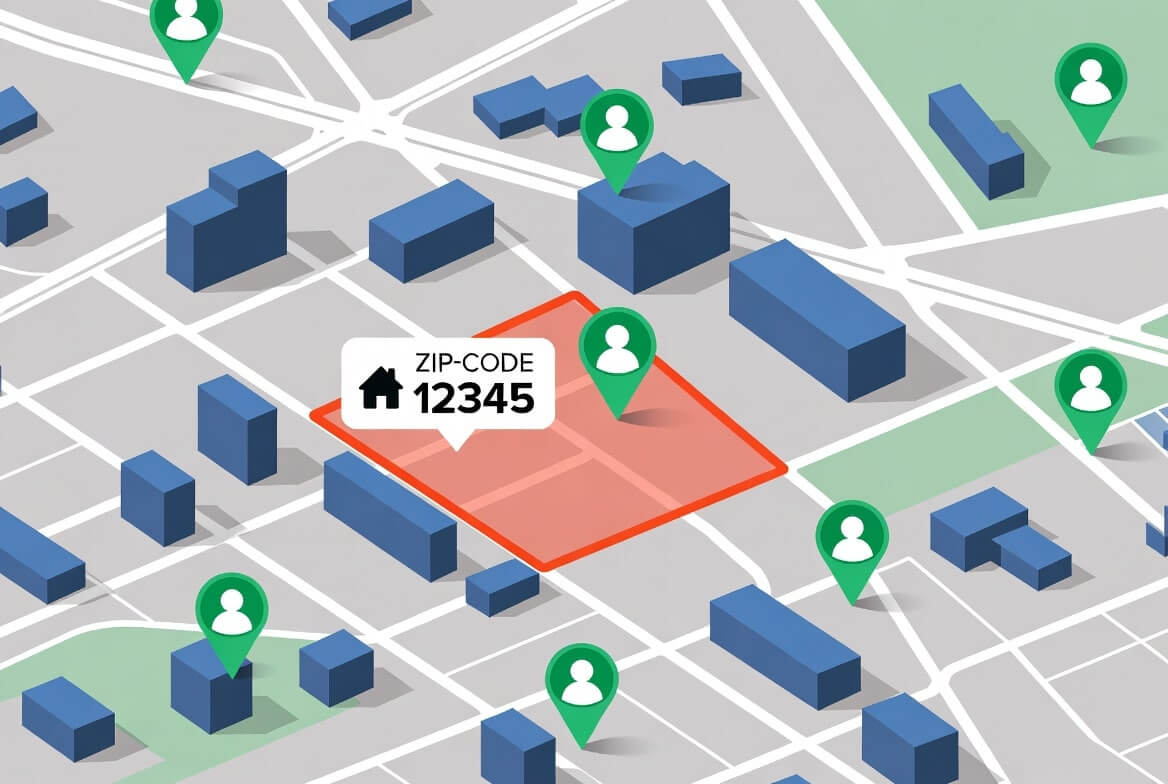
Don't send your rental flyer to every agent in the state. Target by geography where your property is located, plus a reasonable radius.
Geographic Targeting Guidelines
Urban Areas
2-3 miles
Target radius
Suburban Areas
5-10 miles
Target radius
Rural Areas
15+ miles
Target radius
Why Geographic Targeting Works
Agents focus on areas they know. An agent in the suburbs won't market a downtown rental effectively. Geographic targeting respects their expertise and increases relevance.
How to Find Agent Email Addresses by Zip
⚠️ If building your own list, verify email addresses. Stale or incorrect email addresses tank delivery rates.
Segment by Agent Type
Not all agents are equal for rental properties. Some specialize in rentals. Others primarily do sales. Some work for large franchises, others are solo.
Prioritize Rental-Focused Agents
If you're promoting a rental, prioritize agents who show rentals regularly. This is not a demographic, it's a behavior. Agents who regularly promote rentals are more likely to respond and actually forward your flyer to buyers.
How to Identify Rental-Focused Agents:
Search MLS
Search for rental listings they represent on the MLS
Check Websites
Check their website for rental listings
Social Media Groups
Ask in local real estate Facebook groups
Multi-Channel Delivery (Email + Social + Direct)
The best response comes from multiple touchpoints. Don't rely on email alone.
Email (Primary Channel)
Most effective and trackable
Send a clean, direct email with the flyer embedded or attached. Subject line should be location and property type.
Example Subject Line
"New Rental Available in Downtown: 2BR, Move-In Ready"
💡 Keep the email body to 2-3 sentences. The flyer does the heavy lifting. Include a direct link to more photos or a virtual tour.
Agent Facebook Groups (Secondary Channel)
High-engagement community channels
Many local areas have Facebook groups where agents share deals and ask questions. Post your rental flyer with a short description. These groups are high-engagement channels and often reach agents who miss emails.
Example Post
"New rental available at [Address]. 2BR, 1.5BA, $1,450/mo, move-in ready. Contact [Your Name] at [Phone] or [Email] for showings."
Direct Outreach (Tertiary Channel)
Personal touch for top agents
Pick 5-10 top agents in the area and send a brief text or direct message.
Example Message
"Just listed a 2BR rental on Oak Street. Thought of you immediately. Happy to send photos or schedule a showing."
💡 Personal, direct messages get the fastest responses. Agents remember they were contacted personally and are more likely to reciprocate with action.
Timing Your Distribution
Distribution timing impacts response rates significantly.
Optimal Send Times
Best Days
Tuesday through Thursday
Best Hours
Between 8am and 10am (agents are in their office and checking emails)
Avoid These Times
- • Mondays (email overload after the weekend)
- • Fridays (agents are wrapping up)
- • Evenings and weekends (agents unlikely to check work email)
Pro Tip
Test different send times with your audience and track which times generate the most clicks and responses.
Email Template for Agent Distribution
Subject Line
New Rental: [Address] | [Beds]BR, [Price]/Month, Move-In [Date]
Hi [Agent Name],
I have a new rental listing I thought you might want to show. [Property Address] just came on the market.
Quick details:
- 2 bedrooms, 1.5 bathrooms
- 850 square feet
- $1,450/month, flexible lease terms
- In-unit washer/dryer, parking included, pet-friendly
- Recently renovated, move-in ready
- [Highlight: Walking distance to downtown / Near schools / Transit-accessible]
I'm attaching the flyer below and have more photos available here: [Link to Folder/Website]
Let me know if you'd like to schedule a showing or have any questions.
[Your Name]
[Phone]
[Email]
Email Length Rule
Keep it short. Agents scan emails quickly. Let the flyer and clear CTA do the work.
Using a Digital Flyer + Webpage for SEO
Beyond email distribution to agents, create a simple webpage for each rental property. This page should include:
Webpage Checklist
SEO Benefits
This webpage is indexed by Google and can appear in search results when people search for "[Neighborhood] apartments for rent" or "[City] 2 bedroom rental." It also gives agents more information to share with buyers.
Multi-Channel Strategy
This multi-channel approach (email to agents + searchable webpage + social sharing) maximizes visibility and response.
Part 4: Measuring What Works
Key Metrics to Track
Email Open Rate
How many agents opened your email?
Target range
⚠️ Below 20%: Adjust subject line or send time
✓ Above 40%: Strong list quality and timing
Click-Through Rate (CTR)
How many agents clicked your link to the flyer, photos, or virtual tour?
Target range
This indicates how compelling agents found your flyer or CTA.
Response Rate
How many agents responded or requested a showing? This is your true conversion metric.
Solid performance
15%+ is excellent
Forwarding/Sharing Behavior
Did agents forward your flyer to their buyers?
This is harder to track but is the ultimate goal. If agents are forwarding to their networks, response will come from those secondary recipients too.
Why Response Matters More Than Opens
An agent who opens your email but doesn't click is not a conversion. An agent who clicks but doesn't respond is not a lead. Measure actual responses and showing requests, not just opens.
Use your email platform to track links and set up a simple form or CTA that records responses. This gives you real data on what messages, property types, and neighborhoods drive actual agent interest.
A/B Testing Your Flyers
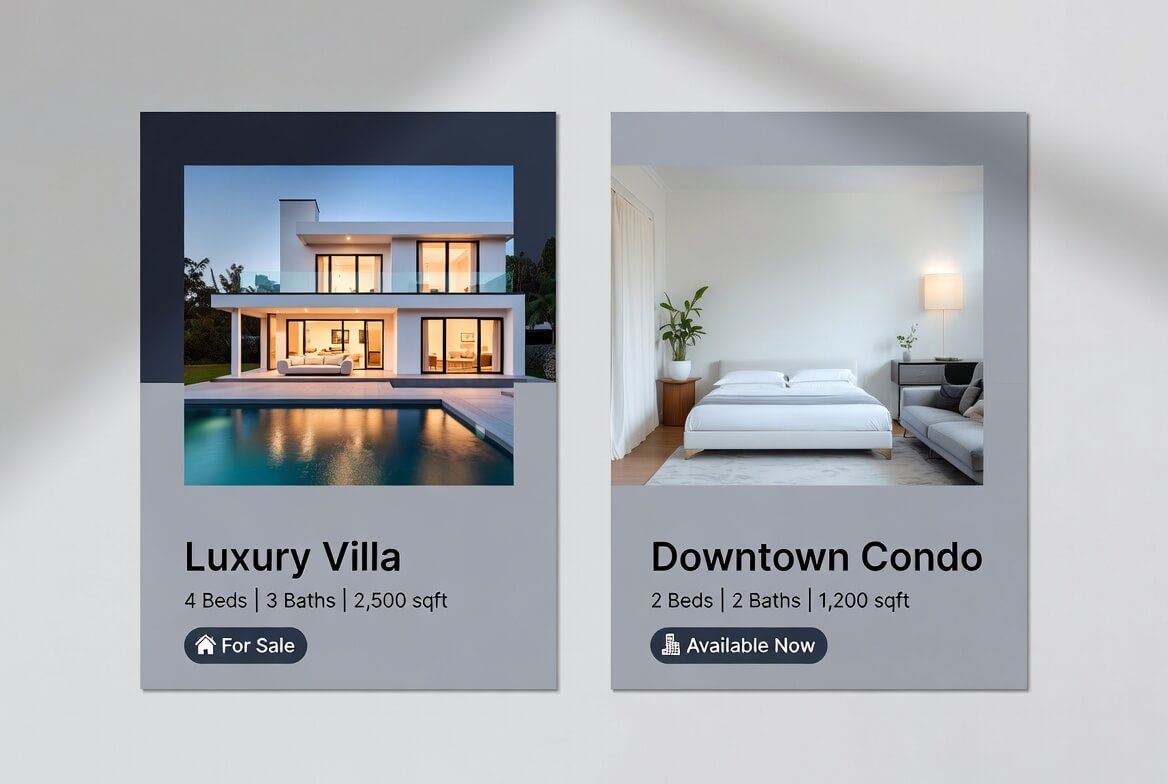
Test variations to see what works:
Test 1: Headline Angle
Group A
"Modern Luxury 2BR in Downtown"
Group B
"Move-In Ready 2BR, Below Market Rate"
Reveals whether agents respond more to amenities or value.
Test 2: Visual Treatment
Group A
Light, minimalist design with lots of white space
Group B
Bold colors and more visual density
Reveals your audience's design preference.
Test 3: Property Photo
Group A
Kitchen/inside shot
Group B
Bedroom/outside shot
Reveals which features agents prioritize.
Testing Best Practices
Run these tests across 5-10 properties and track results. Small improvements compound. A 5% improvement in response rate becomes 25%+ improvement over 10 properties.
Part 5: Common Mistakes That Kill Response Rates
Mistake 1: Cramming Too Much Information
Agents don't want a novel. They want a summary they can scan in 10 seconds and forward in 30 seconds. Flyers with excessive text, dense paragraphs, or overwhelming detail perform poorly.
✓ Solution:
Use bullet points, white space, and short sentences. Less is more.
Mistake 2: Using Low-Quality or Inappropriate Photos
A dark, blurry photo of a rental unit screams unprofessional. So does a photo taken from a weird angle or with outdated furniture/design visible.
✓ Solution:
Invest in professional photography for your listings. Even a smartphone camera works if lighting and composition are good. Avoid photos with clutter, personal items, or poor lighting.
Mistake 3: Targeting Too Broadly
Sending your downtown rental flyer to every agent in the state wastes money and tanks deliverability. Agents receiving irrelevant emails mark them as spam, which hurts your sender reputation.
✓ Solution:
Target by geography and agent behavior. Focus on agents within 5-10 miles who show rentals regularly.
Mistake 4: No Clear CTA
If your flyer doesn't clearly state what the agent should do next, many won't act. A missing phone number, vague CTA, or outdated contact info means lost leads.
✓ Solution:
Include a clear, single CTA. One phone number. One email. One way to request a showing. Make it obvious.
Mistake 5: Sending Once and Forgetting
Agents get dozens of property flyers weekly. One flyer email might not cut through the noise. Re-engagement matters.
✓ Solution:
Send an initial flyer. After 3-5 days with no response, send a follow-up: "Checking in on the rental at [Address]. Still available for showings if interested." Follow-ups increase response rates by up to 40%.
Mistake 6: Ignoring Mobile Display
Many agents receive emails on their phones. If your flyer looks pixelated, compressed, or hard to read on mobile, agents won't forward it to their clients.
✓ Solution:
Test your flyer on mobile before sending. Ensure text is readable, images are clear, and the overall layout doesn't look cramped.
Part 6: The Rental Flyer Playbook in Action (Step-by-Step)
Week 1: Plan and Design
Select your property. Choose a rental unit you want to promote.
Gather assets. Shoot 10-20 high-quality photos of the interior and exterior. Get property details (rent, bedrooms, bathrooms, square footage, amenities, move-in date, lease terms).
Choose your design tool. Use Canva, Adobe InDesign, or a simple template. Don't overthink this. Clean and simple beats fancy and complex.
Create your flyer. Follow the anatomy outlined in Part 1. Headline, photo, quick facts, short description, CTA, contact info. Test on mobile and print before finalizing.
Get feedback. Show your flyer to 2-3 agents in your network. Ask: "Is the information clear? Would you forward this to your buyers? What's missing?" Adjust based on feedback.
Week 2: Build Your Distribution List
Define your geographic target. Decide on your radius (typically 5-10 miles for rentals).
Find agents in that area. Use Zillow agent directory, LinkedIn, MLS databases, or local Chamber of Commerce. Aim for 30-50 agents initially.
Verify email addresses. Use hunter.io, RocketReach, or manual verification to ensure emails are current. Bounce rates increase if emails are outdated.
Segment by agent type. Identify which agents show rentals regularly. Prioritize these first.
Build your list in your email platform (Gmail, Mailchimp, ConvertKit, etc.).
Week 3: Launch Distribution
Create a landing page or webpage for the property. Include the flyer, photos, virtual tour, and application info. This gives agents somewhere to direct their clients.
Write your email. Use the template from Part 3. Keep it short, include a clear CTA, and embed or attach the flyer.
Send your email. Send to your priority agents (top 15-20) first. Monitor opens and clicks for the first 24 hours.
Post to agent Facebook groups. Share in 3-5 local agent groups with a short description and the flyer image.
Direct outreach. Text or call 5 key agents personally: "Just sent a new rental. Take a look and let me know if you want to show it."
Week 4: Follow Up and Optimize
Track responses. Monitor emails, calls, and showing requests. Document who responded and how.
Send follow-up email. On day 4-5, send a brief follow-up to agents who didn't respond: "Checking in on [Address]. Still available for showings."
Measure results. Count opens, clicks, and responses. Calculate your metrics (open rate, CTR, response rate).
Gather feedback. If showing requests come in, ask agents: "What caught your attention?" or "What information helped you share this?" This informs future flyers.
Optimize for next property. Use what you learned to improve your next flyer. Test different headlines, photos, or CTAs.
Frequently Asked Questions

Blastrow
Listing Promotions