Create Real Estate Flyers Online Free: 5 Best Tools + Templates That Actually Convert
Discover the best free real estate flyer makers, compare top platforms, and learn proven design strategies that generate more buyer inquiries and agent collaborations for your listings.
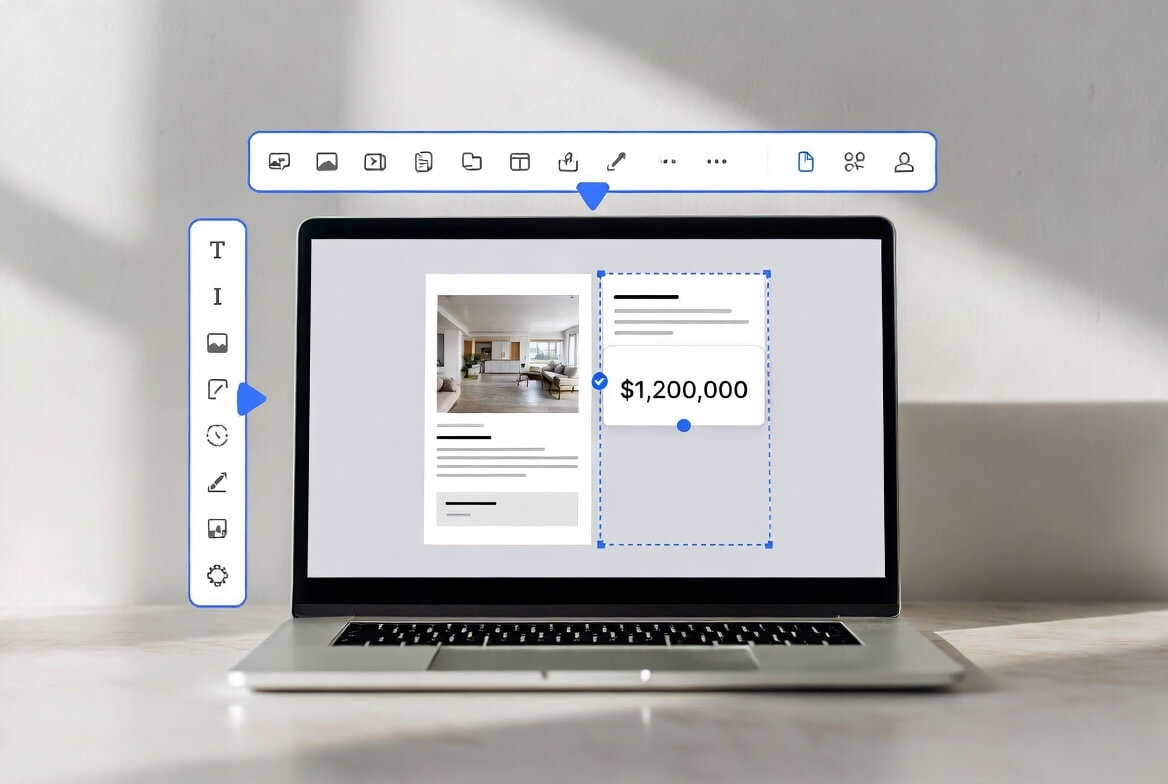
Digital Flyers Beat Printed Postcards (And Here's Why)
When you send a real estate flyer, you're competing for attention in an overcrowded inbox or mailbox. But here's what most agents get wrong: they think digital and print are enemies. They're not. The real winner? Digital flyers that work like print and distribute like email.
That's exactly why Blastrow exists.
Here's the difference between old-school direct mail and modern digital flyer marketing:
Direct Mail Flyers:
- Agents spend $0.50-$0.75 per piece
- A thousand postcards cost $500-$750 with printing and mailing
- Response rate? 3.3%
- True conversion (a real lead that becomes a client)? Only 0.5-2%
- You're spending $25-$100 per lead, waiting weeks for results
Digital Flyers (like Blastrow):
- Free to create
- Sent instantly to nearby agents via email
- The flyer itself gets indexed by Google, so it stays visible forever
- Agents see 40% more inquiries because the flyer doubles as an SEO asset
- Cost per lead drops to $3-15
Email marketing in real estate? It converts at 3-3.5%, which tops most channels. And follow-up emails boost response rates by 40%.
That's the foundation of what we'll cover here. Now let's explore the five best free flyer tools, when to use each one, and exactly how to combine them for maximum impact.
The Five Best Free Real Estate Flyer Makers (And Why Each One Works)
1. Canva (Best for Speed and Simplicity)
The Basics: Canva is the easiest flyer maker on the market. No design experience needed. Free forever, with thousands of real estate templates.
What You Get:
- 3M+ free stock photos and graphics
- Easy drag-and-drop editor
- Over 100 real estate flyer templates (just listed, open house, buyer need, etc.)
- AI content generation to write headlines and descriptions
- Download as PDF, print-ready format, or share digitally
- Free account with unlimited flyers
Why It Works: Real estate agents love Canva because a flyer takes 10-15 minutes max. You pick a template, drop in your property photos, add text, and you're done. No learning curve. Canva Print also offers affordable printing ($0.15-$0.35 per flyer shipped to your door) if you want physical copies.
The Catch: Canva's real estate templates are beautiful but fairly basic. They don't include advanced features like flip animations or analytics. You're designing for print or social sharing, not for interactive digital experiences.
When to Use It: Quick flyers for open houses, just-listed announcements, or social media posts. If you need something done in 20 minutes, Canva wins.
Pricing: Free. Premium subscription ($13/month) adds branded templates and more stock images, but not required.
2. Venngage (Best for Data-Driven Design)
The Basics: Venngage combines design templates with marketing intelligence. The platform was built for marketers who want their flyers to actually work, not just look good.
What You Get:
- Professionally designed real estate templates built on marketing best practices
- Drag-and-drop editor with 500+ real estate-specific layouts
- Charts, maps, timelines, and infographics (useful for market updates)
- Brand kit for team consistency
- Analytics on your designs (see what layouts convert best)
- Export as PDF, PNG, or share as a web link
- Free plan includes most features
Why It Works: Venngage's templates aren't random. They're built by designers and marketers who understand conversion psychology. Headlines pop. Calls-to-action are clear. The layouts guide the viewer's eye exactly where you want it.
For market update flyers or buyer need announcements (where you're trying to spark a conversation, not just sell a single house), Venngage's template library is superior.
The Catch: Venngage has a slightly steeper learning curve than Canva. More options means more decisions. The free plan has some limitations on storage and advanced features.
When to Use It: Market update flyers, buyer need postcards, quarterly farming campaigns, or when you're trying to build a consistent brand across multiple flyer types.
Pricing: Free plan available. Premium at $10/month per user (or $120/year). Business Plan at $24/month for teams.
3. DocHipo (Best for Quick Batch Creation)
The Basics: DocHipo is designed for speed and team collaboration. It's the tool agents use when they need to crank out multiple flyers without fuss.
What You Get:
- 5,000+ templates across all industries (real estate included)
- Drag-and-drop editor
- AI-powered background remover and smart canvas resizing
- Batch editing (edit multiple designs at once with one change)
- Team collaboration and role-based access
- Export as PDF or share digitally
- Integrations with Mailchimp and Typeform (if you're running email campaigns)
- Free plan with solid features
Why It Works: DocHipo shines when you need to create five open house flyers for different properties, then swap the photos and tweak the details. The batch editing feature saves hours. The AI background removal is legitimately useful if you have mediocre property photos that need cleaning up.
The Catch: DocHipo's template library isn't as visually stunning as Canva's. It's more utilitarian. The free plan has storage limits.
When to Use It: When you're running a high-volume flyer operation. Multiple listings, multiple properties, fast turnaround. Also good if you're a team and need approval workflows.
Pricing: Free plan available. Pro at $7.50/month per user (yearly billing). Pro Unlimited at $225/month for unlimited users.
4. Adobe Express (Best for Professional Output)
The Basics: This is Photoshop's lighter-weight cousin. If you've used any Adobe product, Adobe Express feels familiar and powerful.
What You Get:
- Access to millions of Adobe Stock images (thousands free, premium ones discounted)
- Professional AI tools (remove backgrounds, generative fill, animate text)
- Resize content instantly for different formats (social media, print, etc.)
- Brand kit for team consistency
- Adobe Fonts library (over 20,000 fonts)
- Export as high-resolution PDF or PNG
- Mobile app included
Why It Works: If your photos aren't great, Adobe Express's AI tools are the best in class. You can remove messy backgrounds, fill in gaps, and enhance colors in ways Canva simply can't match. The output looks more professional.
It also integrates with the entire Adobe ecosystem, so if you use Photoshop, InDesign, or Illustrator, everything syncs seamlessly.
The Catch: Adobe Express has a steeper learning curve. More power means more options. The free plan has limited assets compared to paid. Not the best for teams who don't know their way around design tools.
When to Use It: High-end listings (luxury homes, commercial properties) where photography quality matters. When you need professional-grade output and don't mind spending a bit more time on design.
Pricing: Free plan with limited assets. Premium at $9.99/month or $99.99/year. Teams plan at $77.88/year minimum (2+ seats).
5. Blastrow (Best for Agent-to-Agent Marketing + SEO)
The Basics: Blastrow isn't only a flyer maker. It's a flyer distribution and SEO engine disguised as a marketing tool.
What You Get:
- Create digital flyers in minutes (simple editor similar to Canva)
- Automatic SEO optimization (flyer gets indexed by Google)
- Smart targeting by ZIP code (find nearby agents with buyer clients)
- Automated email delivery to local agents
- Real-time tracking (see who opened, clicked, and engaged)
- Flyer lives on a web page (indexed by Google and LLMs for long-term visibility)
- Direct agent-to-agent communication
- 40% more inquiries on average from SEO + email distribution combined
Why It Works: Here's where most agents miss the mark. A beautiful flyer means nothing if it sits in someone's inbox or mailbox unseen. Blastrow solves this three ways:
- Email Reach: Your flyer goes straight to local agents via email (35-40% open rate for real estate emails). No spam folder, no recycling bin.
- SEO Power: The flyer's webpage gets indexed. A buyer searching "homes for sale [neighborhood]" might find your listing through the flyer page. Agents searching for co-listing opportunities see it in organic search results.
- Network Effect: When agents share your flyer with their buyer clients or list it in their CRM, it multiplies visibility. One flyer distribution becomes 5-10 agent conversations.
The Catch: Blastrow focuses on agent-to-agent marketing, not buyer-to-agent. If your goal is to put flyers in front of homebuyers, this isn't the tool. If your goal is to find buyer clients, co-list opportunities, and build agent relationships, Blastrow is purpose-built for it.
When to Use It: When you want agent-to-agent collaboration. When you're trying to find a co-listing partner or get your listing in front of agents who have buyer clients. When SEO matters to your long-term listing visibility.
Real Estate Flyer Best Practices: 7 Design Principles That Drive Conversions
A beautiful flyer is worthless if it doesn't convert. Here's what actually works:
1. Lead with the Headline, Not the House
Your headline is the make-or-break moment. Buyers scroll in seconds. Give them a reason to keep looking.
Weak Headline:
"New Listing"
Strong Headline:
"Updated Kitchen + Backyard Oasis: Just Listed at $495K"
Why It Works: The headline answers the unspoken question: "Why should I care about this house?" Specificity wins.
2. Use One Strong Photo (Not Five Mediocre Ones)
Real estate flyers should follow the print design rule: white space is your friend. A single stunning property photo beats five cramped ones.
Pro tip: Use your best photo. If you have a drone shot, use it. If you have a professional photo of the kitchen, lead with that. Crop to emphasize the property's best angle.
3. Include Only the Essential Details
Beds. Baths. Square footage. Price. That's it.
Don't include:
- Your life story
- Your testimonials (save for another flyer)
- Mortgage info or financing tips (confusing at this stage)
- Your photo (unless it's a luxury brand positioning)
Why: Decision fatigue is real. Too much info causes friction. Keep it simple.
4. Add One Clear Call-to-Action
"Open House Saturday 2-4pm" or "Call to Schedule a Tour" or "View Online: [Link]"
Not: "Call or text or email or visit the website"
Why: Multiple CTAs dilute action. Pick one and make it bold.
5. Use Color to Guide the Eye
The human eye moves toward color contrast. Use your brokerage colors or a bold accent color to highlight your CTA button or the property address.
Avoid: Too many colors (looks amateurish). Stick to 2-3 color max.
6. Add Social Proof (If You Have It)
"Sold in 12 Days" or "25+ Offers in 48 Hours" or "4-Star Rated Agent"
This works because it signals urgency and credibility. Buyers know other buyers want this house too.
7. Make the Phone Number and Website Easy to Read
Use large fonts (18pt+). If using a QR code, test it before printing or sending. Nothing kills momentum like a broken QR code.
How to Maximize Your Flyer ROI: A Step-by-Step Workflow
Let's put this all together. Here's exactly how top agents combine multiple tools for maximum impact:
Step 1: Design Your Flyer in Canva (15 minutes)
- Choose a template that matches your listing type (just listed, open house, etc.)
- Add property photos, price, beds/baths, address
- Include your phone number and website (or QR code)
- Download as PDF
Step 2: Optimize for Email with a Backup Copy in Venngage
- If it's a market update or investor flyer, rebuild the design in Venngage for better data visualization
- For one-off listings, stick with Canva
Step 3: Create a Digital Version in Blastrow
- Upload or recreate your flyer in Blastrow
- The platform auto-optimizes it for web and search engines
- Set your target ZIP code(s) for nearby agent targeting
- Add any custom messaging or notes
Step 4: Launch Your Distribution Strategy
- Blastrow emails deliver it to nearby agents (instant)
- Simultaneously print copies at Canva Print or a local print shop (wait 5-7 business days)
- Post the flyer image on social media (Facebook, Instagram)
- Send the PDF via email to your buyer leads in your CRM
Step 5: Track Results
- Monitor Blastrow's open and click rates
- Track phone calls with a unique extension or call-tracking service
- Note which agents respond or share with their buyers
- Collect feedback (what questions do agents ask?)
Step 6: Iterate
- After 2 weeks, analyze what worked
- Adjust the headline if open rate was low
- Adjust the CTA if click-through rate was high but conversions were low
- Reuse the successful design for similar listings
Expected Results:
- Email open rate: 35-40%
- Click-through rate: 3-5%
- Agent responses: 2-5 per hundred emails sent
- Buyer inquiries: 1-3 per campaign (depending on market demand)
Free vs. Paid: When to Upgrade
Honest truth? The free versions of Canva, Venngage, and DocHipo are more than enough for 90% of agents.
Upgrade to Premium If:
- You're creating more than 20 flyers per month (batch discounts save time)
- You need custom fonts or branded templates for team consistency
- You want stock photos beyond the free library
- You're running a team and need approval workflows
Don't Upgrade If:
- You create a few flyers per month
- You're happy with the free design templates
- You don't need advanced analytics
For Blastrow:
This is where budget matters. The ROI is genuine. If you're running consistent listing promotions and want agent-to-agent reach, Blastrow's pricing is worth the investment because of the distribution network and SEO benefits. A free flyer tool sits in your folder. A Blastrow flyer works for months.
Real-World Case Study: How One Agent Used These Tools
The Agent: Maria, a residential agent in Austin. 15 listings per year. Limited marketing budget.
The Problem: Maria was printing 500 postcards per listing ($300-$400 each), sending them to neighborhoods via direct mail. Response rate? Barely 1%. She wasn't connecting with other agents who had buyer clients.
The Solution:
- She learned Canva (free, 30 minutes)
- For each listing, she created a flyer in 15 minutes
- She uploaded the flyer to Blastrow
- Blastrow targeted agents within 3 miles with buyer clients
- In one week, 5 agents replied saying they had interested buyers
- 2 of those led to offers
- Total cost: Canva free + Blastrow subscription (~$50-150/month depending on tier)
The Results:
- ✓ 40% more buyer inquiries (from SEO + agent network)
- ✓ Reduced design time by 80% (no designer fees)
- ✓ Reduced printing costs (digital flyers + selective printing)
- ✓ 3 extra co-listings that year from agent referrals
Maria still prints flyers for open houses (tangible reminder for neighbors), but her heavy lifting is digital distribution through Blastrow.
FAQ: Real Estate Flyer Questions Answered
The Bottom Line
Creating real estate flyers is easier than ever. Canva, Venngage, DocHipo, and Adobe Express all let you design professional flyers free or cheap. But creating a flyer is only half the battle.
The real skill is distribution.
A flyer seen by 50 agents is worth more than a flyer seen by 0 agents. Digital distribution through Blastrow gives you agent reach, SEO visibility, and tracking. Print distribution gives you tangible, memorable presence. The best agents use both.
Start with Canva (it's free and fast). Graduate to Venngage or DocHipo if you need more templates or team collaboration. And if you're serious about consistent listing promotion and agent partnerships, use Blastrow to multiply the reach of your flyers beyond what print or email alone can achieve.
Your flyer is a marketing asset. Treat it like one. Design it once, distribute it multiple ways, and track what works. That's how you turn a $0 flyer into real buyer leads and co-listing partnerships.
Blastrow
Listing Promotions